 Full Disk Clean
See exactly where your disk space goes.
Full Disk Clean scans your Mac in under 30 seconds, maps every gigabyte across 10 categories, and safely reclaims space — everything goes to Trash, nothing is permanent.
 $4.99 · One-Time Purchase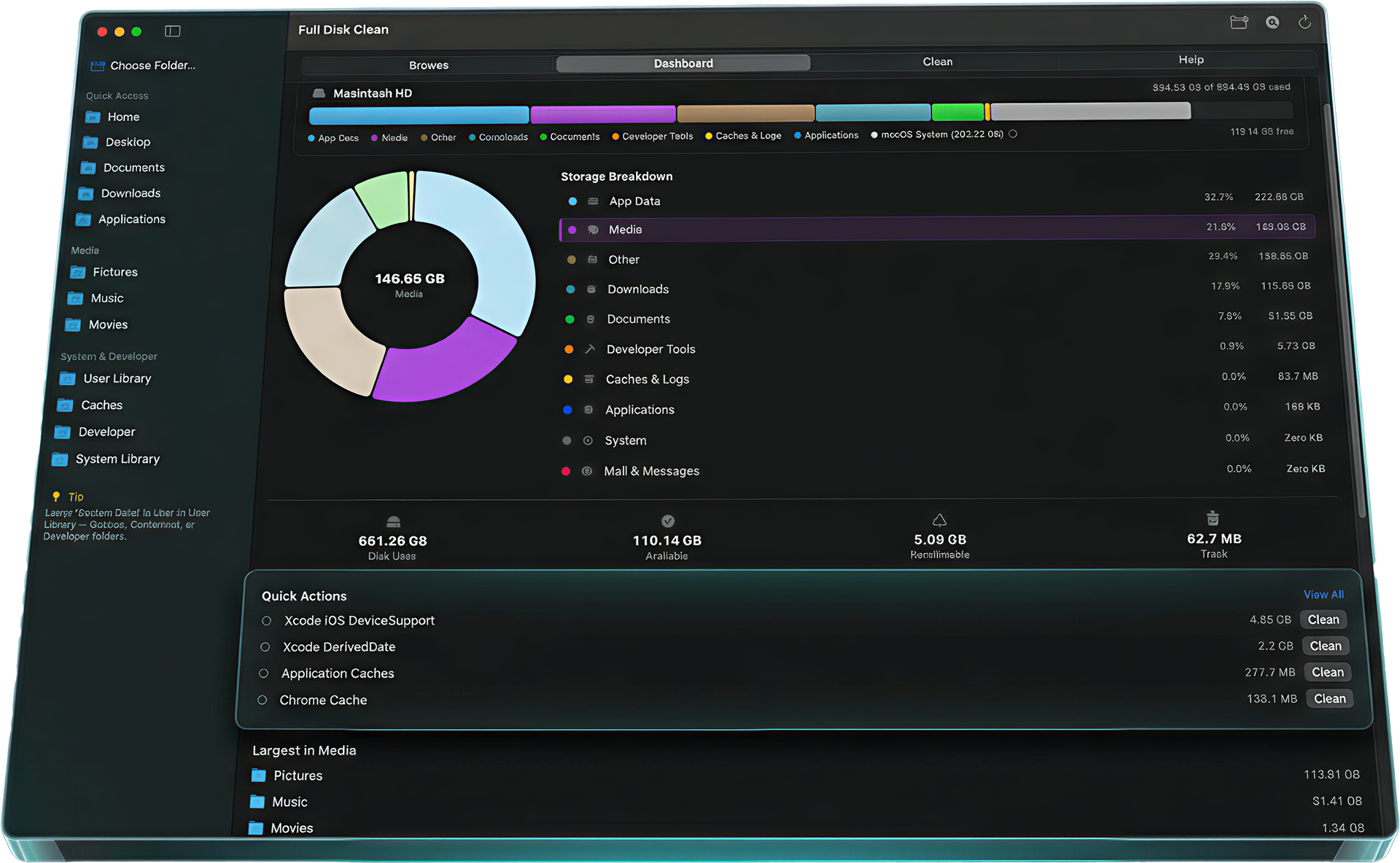
Features
Four ways to understand your disk
Browse, analyze, clean, and learn — all in one window.
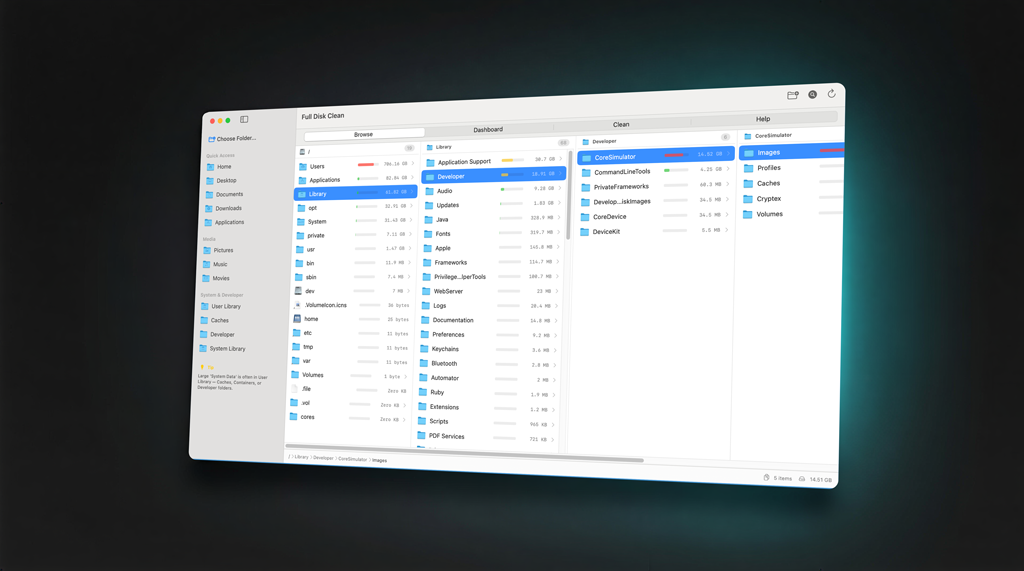
Navigate your files, Finder-style
Column-view navigation that feels just like Finder. See real-time size calculations as you dig deeper. Drag folders in from your desktop, Quick Look any file, or right-click for context actions.
Your disk, visualized
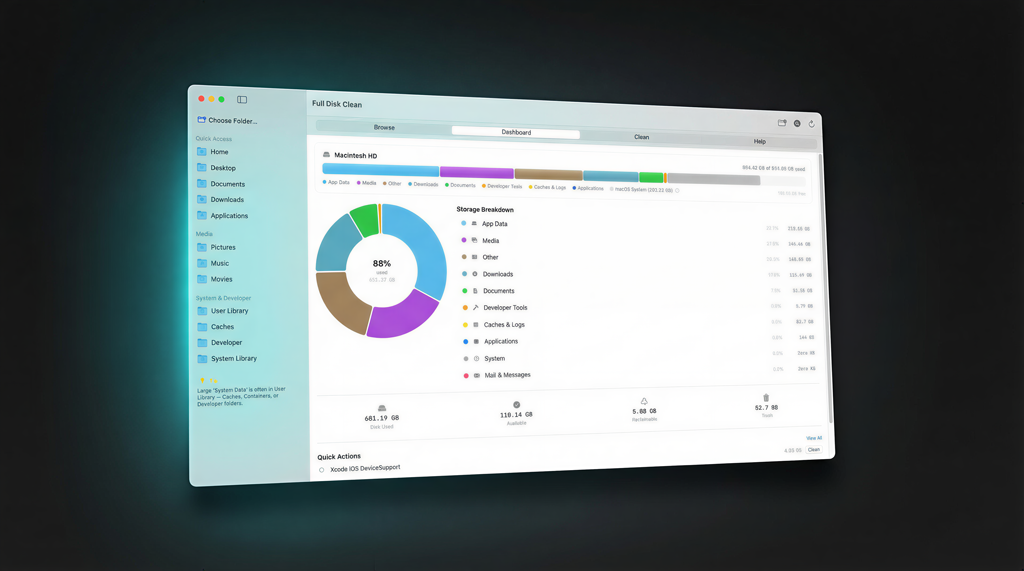
Two-phase scan: a fast overview in seconds, then deep analysis fills in live. An interactive donut chart breaks your disk into 10 clear categories — from Developer Tools to Caches & Logs.
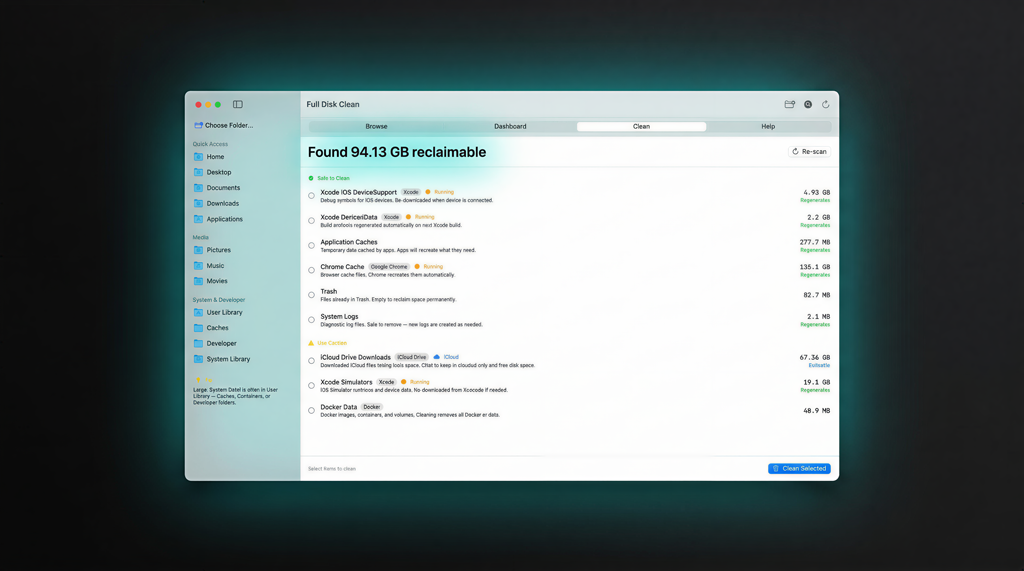
Reclaim space with confidence
22 known space hogs organized by safety tier. Green means safe to remove. Yellow means review first. Red means be careful. Every single deletion goes to Trash — nothing is ever permanent.
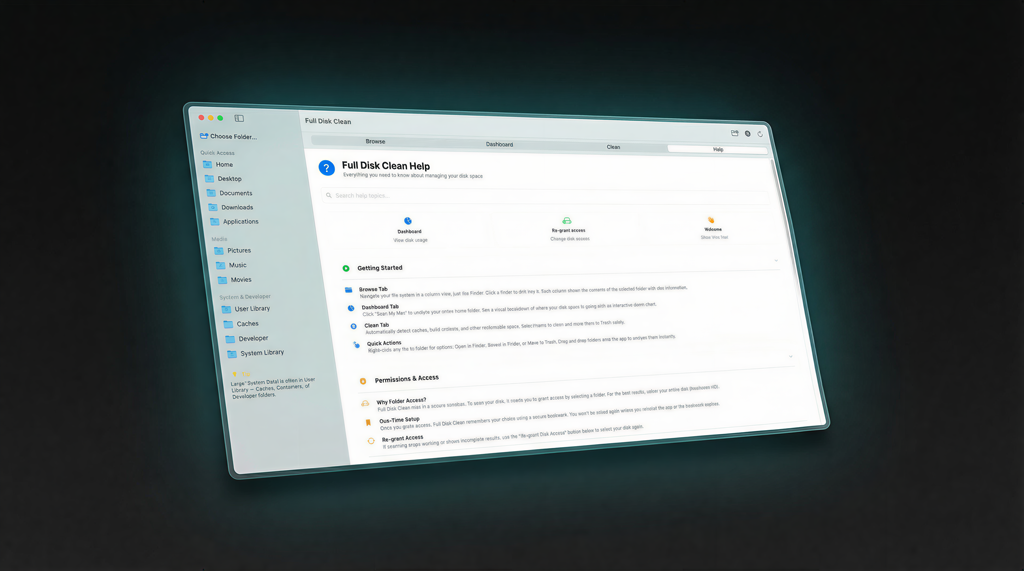
Guidance built right in
A searchable help system and guided onboarding walks you through everything. Understand what each category means, what’s safe to clean, and why. No guessing.
Safety First
Three tiers of confidence
Every item Full Disk Clean finds is classified by risk level, so you always know what you're removing.
Safe to remove
Caches, logs, temp files. Regenerated automatically by your apps. Always safe to remove.
System logs, browser caches, build artifacts
Worth a quick review
Large downloads, old device backups, Docker data. Useful to clean, but take a moment to review what you’re removing.
iOS backups, old downloads, Xcode simulators
Explicit confirmation required
Application data and system files that could affect app behavior. Full Disk Clean asks you to confirm twice before touching these.
App databases, system preferences, mail data
Everything goes to Trash. Always reversible. Never permanent. Your files are protected — we never delete anything directly.
How It Works
Three steps. That's it.
No configuration, no learning curve. Scan, explore, reclaim.
Scan
Click scan. Get a quick overview in seconds, then watch the deep analysis fill in live as categories resolve one by one.
Explore
See your storage as an interactive donut chart, a category breakdown with sizes, or browse everything in a Finder-like column view.
Reclaim
Select what to clean. Check the safety tier. Click clean. It goes to Trash — always reversible, never destructive.
Take back your disk space.
Download Full Disk Clean and see exactly where every gigabyte goes — in under 30 seconds.
Requires macOS 13 Ventura or later